

Premium mechanical keyboards combine multiple lighting systems to create immersive visual experiences. RGB Backlit Keyboard PCB design integrates per-key illumination, underglow effects, and accent lighting into cohesive systems that enhance both aesthetics and functionality. This comprehensive approach to keyboard lighting transforms ordinary peripherals into stunning centerpieces of any desk setup.
This guide explores the design considerations for creating RGB backlit keyboards that deliver visual impact while maintaining the reliability and performance users expect.
Menu Navigation
- Multi-Zone Lighting Architecture: Per-Key, Underglow, and Accents
- LED Positioning, Keycap Compatibility, and Light Diffusion
- Edge-Mount and Bottom-Mount Underglow Design Techniques
- QMK RGB Matrix, VIA Support, and Lighting Control Integration
- Case Integration and Visual Impact Optimization
Multi-Zone Lighting Architecture: Per-Key, Underglow, and Accents
Effective RGB backlit keyboard design treats lighting as integrated system rather than isolated features. Coordinated architecture ensures all lighting elements work together harmoniously.
1. Multi-Zone Lighting Concept
Premium keyboards organize lighting into functional zones. Per-key zone provides individual key illumination for typing visibility and reactive effects. Underglow zone creates ambient glow from keyboard edges. Accent zone illuminates logos, badges, or decorative elements. Status zone indicates Caps Lock, connectivity, and layer states.
2. Power and Data Architecture
Unified architecture simplifies design while enabling independent control:
- Shared Power Distribution: Common power infrastructure serves all lighting zones efficiently.
- Independent Data Chains: Separate control paths enable zone-specific effects and timing.
- Centralized Control: Single MCU manages all lighting through unified firmware.
- Scalable Design: Architecture accommodates additional zones without major redesign.
3. Synchronization Requirements
Coordinated lighting effects require timing alignment. Frame synchronization ensures smooth animations across zones. Effect coordination enables reactive lighting spanning multiple zones. Power management prevents simultaneous peak loads across all zones. RGB Keyboard PCB architecture provides foundation for multi-zone implementations.
LED Positioning, Keycap Compatibility, and Light Diffusion
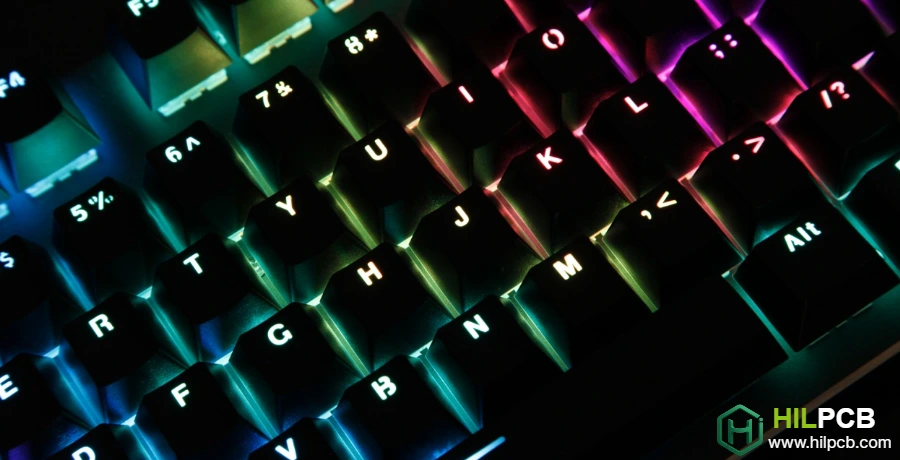
Per-key RGB provides the primary lighting experience, enabling both functional illumination and dramatic visual effects.
LED Positioning Options
LED placement relative to switches affects lighting characteristics. North-facing LEDs position light source at key top for optimal legend illumination but may interfere with Cherry profile keycaps. South-facing LEDs avoid keycap interference with slightly reduced shine-through brightness. In-switch LEDs mount within switch housing for centered illumination requiring compatible switches.
Keycap Compatibility Considerations
Lighting effectiveness depends on keycap characteristics:
- Shine-Through Keycaps: Translucent legends allow light transmission for clear visibility.
- Pudding Keycaps: Translucent sides enhance RGB visibility from viewing angles.
- Opaque Keycaps: Per-key RGB provides ambient glow rather than legend illumination.
- Profile Selection: Keycap profile affects light distribution and potential LED interference.
Light Diffusion and Distribution
Even illumination requires attention to light spreading. LED height affects beam spread and hotspot visibility. Diffuser integration can soften harsh LED points. Switch housing interaction affects light distribution patterns. Our Custom PCB for Keyboards designs optimize LED positioning for intended keycap combinations.
Edge-Mount and Bottom-Mount Underglow Design Techniques
Underglow lighting creates ambient effects that extend visual impact beyond the key surface, particularly effective with floating-key or transparent case designs.
1. Edge-Mounted Underglow
LEDs mounted around PCB perimeter create peripheral glow:
- LED Positioning: Mount facing outward at board edges for case illumination.
- Spacing Optimization: Balance LED count against cost and power for smooth gradient.
- Reflection Design: Case interior surfaces affect underglow appearance.
- Side-Firing LEDs: Specialized packages direct light parallel to PCB plane.
2. Bottom-Mounted Underglow
LEDs facing downward illuminate surface beneath keyboard. Requires transparent or open-bottom case design for visibility. Creates dramatic effect on desk surface. Power consumption adds to overall budget. Separate PCB layer or additional board may be required.
3. Accent and Logo Lighting
Branded illumination reinforces keyboard identity:
- Backlit Logos: LED behind translucent logo creates brand presence.
- Edge Accents: Illuminated case edges add visual dimension.
- Badge Lighting: Separate badge PCBs can incorporate lighting.
- Status Integration: Combine aesthetic accents with functional indicators.
Interconnect Solutions
Separate underglow boards require reliable connections. Flexible PCB for Keyboards enables integrated flex connections. Connector solutions provide serviceable connections between boards. Solder bridges minimize height for thin designs. Multi-Layer PCB for Keyboards may route underglow on dedicated layer.
QMK RGB Matrix, VIA Support, and Lighting Control Integration
Coordinated lighting control enables sophisticated effects spanning all keyboard lighting zones while providing intuitive user configuration.
1. Firmware Architecture
Unified firmware manages all lighting elements. Centralized effect engine coordinates animations across zones. Independent zone control enables mixed effects simultaneously. Transition management ensures smooth effect changes. Performance optimization prevents lighting calculations from affecting typing response.
2. QMK Integration
QMK provides robust framework for multi-zone control:
- RGB Matrix: Per-key control with extensive effect library.
- RGB Light: Simple interface for underglow control.
- Combined Support: Unified effects spanning both systems.
- Custom Effects: Extensible framework for unique lighting behaviors.
3. User Configuration
Accessible configuration enhances user experience. VIA/VIAL support enables graphical configuration without reflashing. Per-zone color and effect selection provides granular control. Preset profiles enable quick switching between configurations. High-Density PCB for Keyboards may require careful component placement for configuration interface elements.
Hardware Controls
Physical controls enable configuration without host software:
- Dedicated Buttons: Cycle effects or adjust brightness.
- Encoder Integration: Smooth brightness adjustment via rotation.
- Key Combinations: Function layer shortcuts for common adjustments.
- Persistent Storage: Retain settings across power cycles.
Case Integration and Visual Impact Optimization
Beyond technical implementation, RGB Backlit Keyboard PCB design must consider the visual experience created by lighting choices.
Case Integration
Lighting effectiveness depends on keyboard enclosure. Transparent cases showcase underglow and internal lighting. Floating-key designs reveal side-mounted LEDs for maximum per-key impact. Frosted materials diffuse light for smooth gradients. Case color affects reflected light temperature and saturation.
Color Psychology and Application
Lighting color affects user perception and keyboard personality:
- Gaming Applications: Dynamic, high-saturation colors convey energy and performance.
- Professional Use: Subtle, warm lighting provides functionality without distraction.
- Brand Identity: Consistent color themes reinforce brand recognition.
- User Preference: Customization capability enables personal expression.
Viewing Angle Considerations
Lighting appearance varies with viewing perspective. Primary viewing angle determines optimal LED positioning. Side visibility affects underglow design decisions. Photography requirements may influence lighting for product images. Mechanical Keyboard PCB designs can optimize for intended use environment.
Production Considerations
Consistent lighting requires manufacturing attention. LED binning ensures color consistency across production. AOI verification confirms proper LED placement and orientation. Functional testing validates lighting operation before shipping. SMT Assembly capabilities include specialized LED handling and inspection.
Whether creating gaming keyboards with dramatic reactive lighting or professional boards with subtle functional backlighting, our RGB Backlit Keyboard PCB expertise delivers the visual impact your design demands. Contact us to discuss your keyboard lighting vision and discover how our manufacturing capabilities can bring it to life.
Common Questions
What affects the visual quality of an RGB backlit keyboard PCB the most?
LED position, diffuser strategy, case material, and viewing angle matter as much as LED count. The best-looking designs are treated as an optical system instead of just a lighting BOM.
How should RGB backlight control be planned?
Firmware architecture, user configuration path, and hardware control options should be planned together. A strong control strategy avoids rework when users want per-key effects, underglow, or simpler default modes.
Which manufacturing controls keep RGB backlighting consistent?
LED binning, placement accuracy, polarity verification, and functional lighting test are the main controls. Visual inconsistency often comes from assembly variation rather than the schematic itself.