

Wireless gaming mice have achieved performance parity with wired counterparts, becoming the preferred choice for professional esports players worldwide. Designing a PCB for Wireless Mouse demands expertise spanning RF engineering for rock-solid connectivity, power management for all-day battery life, and precision analog design for flawless tracking—all packed within the compact, weight-sensitive constraints that competitive gaming demands.
This guide dives into the technical considerations for creating wireless mouse PCBs that deliver esports-grade performance without the cable.
Menu Navigation
- 2.4GHz vs Bluetooth: Choosing the Right Wireless Protocol
- RF Layout and Antenna Design for Wireless Mouse PCB
- Battery Management and Power Optimization Strategies
- Optical Sensor Integration in Wireless Mouse PCB
- Wireless Mouse PCB Manufacturing and Quality Testing
2.4GHz vs Bluetooth: Choosing the Right Wireless Protocol
Selecting the right wireless technology establishes the foundation for your mouse's connectivity performance. Each protocol brings distinct advantages depending on whether you're targeting competitive gaming or everyday productivity.
1. 2.4GHz Proprietary Protocols
Gaming mice predominantly rely on proprietary 2.4GHz connections for minimum latency:
- Sub-1ms Latency: Optimized protocols achieve response times faster than wired USB polling.
- Dedicated Connection: The USB dongle provides a consistent, interference-resistant link.
- High Polling Rates: Full support for 1000Hz, 2000Hz, or even 4000Hz report rates.
- Gaming Priority: Pure performance optimization without compatibility compromises.
2. Bluetooth Integration
Bluetooth adds versatility for multi-device workflows. BLE delivers power-efficient connectivity ideal for productivity use. Multi-device pairing enables seamless switching between computers. Universal compatibility means it works with any Bluetooth-enabled device out of the box. The higher latency compared to 2.4GHz makes Bluetooth a secondary option for serious gaming.
3. Dual-Mode Capability
Premium wireless mice offer both protocols for maximum flexibility:
- User Flexibility: Choose the optimal mode for each situation.
- Single Dongle: Combined receiver handles both protocols.
- Seamless Switching: Effortless transition between modes.
- Design Complexity: Requires deep RF expertise for dual-band implementation.
Our Gaming Mouse PCB designs support all wireless configurations with optimized RF implementation.
RF Layout and Antenna Design for Wireless Mouse PCB
Wireless mouse performance lives or dies by proper RF PCB implementation. Every design decision directly impacts range, reliability, and interference immunity.
Layer Stack Considerations
RF performance demands proper layer structure. 4-layer construction provides solid reference planes for RF traces. A dedicated ground plane beneath the antenna improves radiation efficiency. Power plane isolation prevents noise coupling to RF sections. Multi-Layer PCB for Keyboards principles apply equally to mouse RF design.
Antenna Implementation
Antenna design makes or breaks wireless performance:
- PCB Trace Antennas: Cost-effective solution requiring impedance matching network.
- Chip Antennas: Compact footprint with consistent performance and minimal tuning.
- Antenna Placement: Position away from hand contact zones and the battery.
- Ground Plane Geometry: Reference plane dimensions directly affect radiation patterns.
Matching Network Design
Antenna matching optimizes power transfer efficiency. Target return loss better than -10dB across the entire band. Matching components (inductors, capacitors) require careful selection for performance. Temperature stability ensures consistent operation across the full operating range. Production testing validates match quality in every unit.
EMI and Interference Management
Wireless mice operate in the crowded 2.4GHz spectrum alongside WiFi and other devices:
- Frequency Hopping: Protocol design actively avoids interference sources.
- Shielding: RF section isolation prevents internal interference.
- Filtering: Input filtering protects the receiver from external signals.
- PCB Layout: Proper grounding and separation minimize self-interference.
Battery Management and Power Optimization Strategies
Battery life defines the wireless mouse user experience. Sophisticated power management enables weeks of operation while maintaining instant responsiveness when you need it.
1. Power State Machine
Intelligent power states balance performance and consumption. Active mode maintains full responsiveness during use. Idle mode reduces power while continuously monitoring for movement. Sleep mode minimizes consumption during extended inactivity. Motion detection enables instant wake from any sleep state.
2. Battery Selection
Battery choice affects both performance and user experience:
- Li-Po Capacity: Balance runtime against mouse weight and size constraints.
- Single Cell: 3.7V nominal simplifies the entire power design.
- Quality Selection: Premium cells ensure safety and long-term longevity.
- Form Factor: Custom shapes maximize capacity within shell constraints.
3. Charging Implementation
USB charging system design directly affects user convenience. USB-C provides fast charging with a reversible connection. Charge rate balancing maximizes speed within battery limits. Pass-through operation enables use while charging. Temperature monitoring protects the battery during charge cycles.
Power Distribution
Clean power delivery ensures consistent performance across all subsystems:
- RF Power Supply: Low-noise LDO for the wireless module.
- Sensor Power: Stable, quiet supply for optical tracking accuracy.
- LED Power: Separate regulation for status indicators and RGB lighting.
- Battery Protection: Under-voltage cutoff preserves cell health long-term.
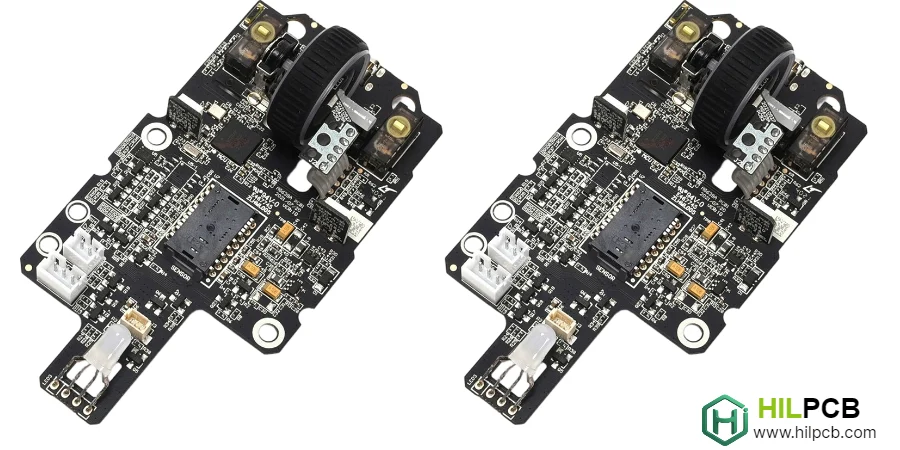
Optical Sensor Integration in Wireless Mouse PCB
Optical sensor implementation in wireless mice requires balancing power consumption against tracking accuracy—you need both for a competitive gaming experience.
Power-Efficient Sensor Operation
Wireless mice must balance sensor performance with battery life:
- Dynamic Resolution: Adjust DPI based on motion speed automatically.
- Frame Rate Management: Reduce sensor speed during slow movement.
- Sleep Integration: Coordinate sensor and wireless sleep states.
- Mouse Sensor PCB Optimization: Power-aware sensor design techniques.
Sensor Power Supply
Clean, stable power maintains tracking accuracy under all conditions. A dedicated LDO isolates the sensor from digital noise. Proper decoupling strategy filters noise across the frequency range. Power sequencing ensures reliable sensor initialization. Current measurement validates proper sensor operation.
Motion Detection Integration
Sensor-based wake detection enables responsive sleep modes:
- Always-On Detection: Low-power motion sensing during sleep.
- Instant Wake: Immediate transition to active on any movement.
- Threshold Tuning: Balance wake sensitivity against false trigger prevention.
- Power Budget: Motion detection power impacts overall sleep mode efficiency.
Latency Considerations
Wireless inevitably adds latency that sensor design must minimize. Optimize the sensor-to-wireless data path. Buffer management prevents additional delays. Synchronized timing between sensor and transmitter is critical. End-to-end latency testing validates complete system performance.
Wireless Mouse PCB Manufacturing and Quality Testing
PCB for Wireless Mouse manufacturing demands RF-specific processes and comprehensive validation to ensure every unit performs flawlessly.
1. RF Assembly Requirements
Wireless components demand careful handling throughout production:
- ESD Protection: Strict controls prevent RF module damage.
- Module Placement: Precise positioning for optimal antenna performance.
- Reflow Profiles: RF components may have specific thermal requirements.
- Gaming Mouse PCB Assembly Expertise: Wireless-specific assembly procedures.
2. RF Performance Testing
Wireless functionality requires specialized validation equipment. Antenna efficiency measurement validates radiation performance. Range testing confirms adequate coverage for intended use. Latency measurement verifies gaming-grade responsiveness. Interference testing confirms robust operation in noisy environments.
3. Functional Validation
Complete mouse validation extends beyond RF performance:
- Sensor Tracking: Verify accuracy and speed across multiple surfaces.
- Click Response: Confirm button latency meets specifications.
- Battery Life: Validate runtime under realistic usage profiles.
- Charging Function: Test complete charge cycle and protection circuits.
Certification Requirements
Wireless products require regulatory approval before market release. FCC certification for the US market. CE marking for European compliance. Pre-certified modules simplify product certification. Testing documentation maintained for compliance verification.
Production Scaling
Wireless mouse production scales with proper planning. Small Batch Assembly validates wireless performance before volume commitment. Large Volume Assembly maintains RF consistency across production runs. Turnkey Assembly provides complete wireless mouse manufacturing including RF testing and certification support.
Whether creating flagship gaming peripherals or productivity-focused wireless mice, our PCB for Wireless Mouse expertise delivers connectivity that matches the performance expectations of demanding users.
Common Questions
What design areas matter most on a wireless mouse PCB?
The most important areas are the RF link, optical sensor path, battery and charging circuit, low-noise power distribution, button and scroll inputs, and sleep or wake control. A strong design has to keep those blocks coordinated so the mouse feels responsive without draining the battery too quickly.
How do engineers balance wireless performance, tracking accuracy, and battery life?
They usually isolate noisy power domains, tune the radio and sensor operating modes, and manage latency budgets across sensing, processing, and transmission. The best result comes from treating RF, sensor, and power architecture as one system instead of optimizing each block separately.
What manufacturing validation should happen before launch?
Before release, teams should verify RF range and stability, sensor tracking, click response, charge behavior, and runtime under realistic use conditions, then confirm the required certification path such as FCC or CE. Production also needs repeatable RF assembly quality, not just a working prototype.