
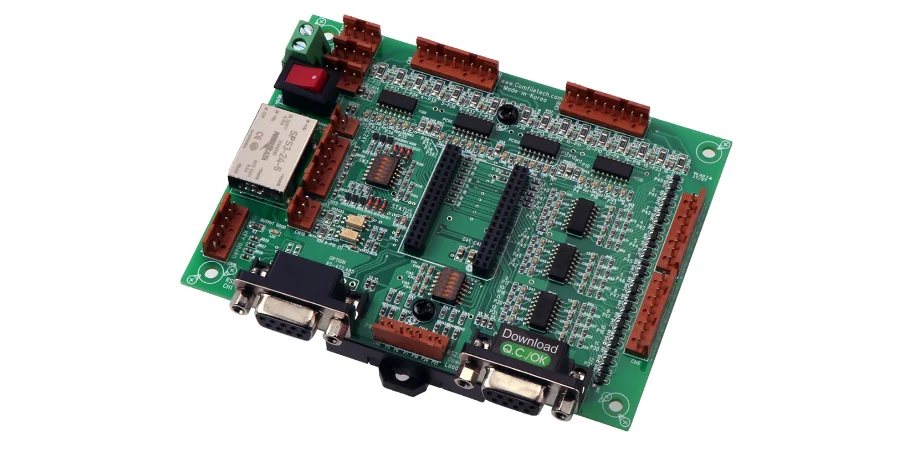
A failed HMI can hide machine status or interrupt an operator’s workflow. The effect depends on the control architecture: loss of the display should be handled explicitly rather than assumed to stop every production line. An HMI PCB links the operator interface, display/touch controller and machine or supervisory system.
From membrane keypads to multi-touch displays, specify the required input behavior, visibility, communications, power-loss response and environment. Service life and availability depend on the complete assembly, use conditions and maintenance plan.
Manufacturing Control Panel HMI Systems
HILPCB provides precision SMT assembly for HMI boards and can support agreed functional and environmental tests against the released display, touch, glove-use, ingress and temperature requirements. Specify the test fixture and acceptance criteria; emergency-stop behavior and complete-machine safety remain with the system owner.
Manufacturing environments demand HMI solutions that combine operational efficiency with exceptional durability. Control panels serve as command centers for complex production equipment, requiring PCB designs that handle multiple input types while providing clear visual feedback to operators.
Multi-Function Display Integration: Modern manufacturing HMIs integrate LCD or OLED displays with capacitive touch sensing on multilayer PCB constructions. These displays must render critical process data clearly while supporting touch gestures for navigation and control. PCB design requires careful signal routing to prevent interference between display drivers and touch sensing circuits.
Membrane Switch Arrays: Traditional membrane switches remain popular for manufacturing applications due to their sealed construction and tactile feedback. Flex PCB technology enables complex switch layouts with integrated LED backlighting for status indication. Specify actuation force, contact resistance, bounce, overlay/adhesive compatibility and the required cycle-life test for the actual switch construction; no universal actuation count applies.
Process Monitoring Interfaces: An HMI may receive values digitally from a PLC or directly from sensors, depending on the architecture. Direct analog temperature, pressure or flow inputs need the appropriate conditioning, protection, filtering and isolation where required; digital sensor inputs use their specified interfaces. Modbus and EtherNet/IP are examples of industrial communications, not mandatory interfaces on every HMI.
Emergency Stop Integration: A touchscreen HMI must not substitute for the independently validated emergency-stop function. Where a physical e-stop is required, implement and verify the safety circuit, reset behavior and accessibility using the machine risk assessment and applicable machinery standards.
Environmental Sealing: Manufacturing environments expose HMI panels to oil mist, coolant spray, and cleaning chemicals. Select coating, enclosure seals, connector protection and compatible materials for the actual exposure. IP65/IP67 are enclosure protection classifications, not ratings conferred by a PCB coating; verify the assembled panel and mounting interface. Water/dust ingress testing does not by itself establish oil, coolant or cleaning-chemical resistance.
Medical Equipment Touch Interface Design
Medical device HMIs demand the highest levels of reliability and user safety, with PCB designs that support critical patient care applications while meeting stringent regulatory requirements.
Patient Monitoring Systems: ICU monitors and patient care devices use HMI PCBs that integrate high-resolution displays with touch control for alarm management and parameter adjustment. HDI PCB technology enables compact designs with fine-pitch components necessary for portable monitoring equipment.
Surgical Equipment Controls: Operating room equipment requires HMI interfaces that function reliably during critical procedures. Touch surfaces must support operation with surgical gloves while preventing accidental activation. Select a touch controller and sensor/overlay stack that support the required glove, moisture and cleaning conditions, then test intentional and unintended inputs. Proximity sensing is an optional feature, not proof of glove operation or safe activation.
Diagnostic Equipment Interfaces: Medical imaging systems and laboratory analyzers use sophisticated HMI PCBs that manage complex workflows and data visualization. High-speed processors handle image rendering and user interface graphics while maintaining real-time responsiveness for operator interactions.
Biocompatibility Requirements: ISO 10993 applies where identified patient-contacting materials are evaluated for biological safety. Internal HMI PCBs that do not contact the patient are not automatically subject to blanket biocompatibility qualification.
Sterilization Compatibility: Determine cleaning and sterilization requirements from the exposed enclosure and accessory design. Internal assembled PCBs generally should not be assumed suitable for autoclaving unless components, seals and assembly processes are qualified.
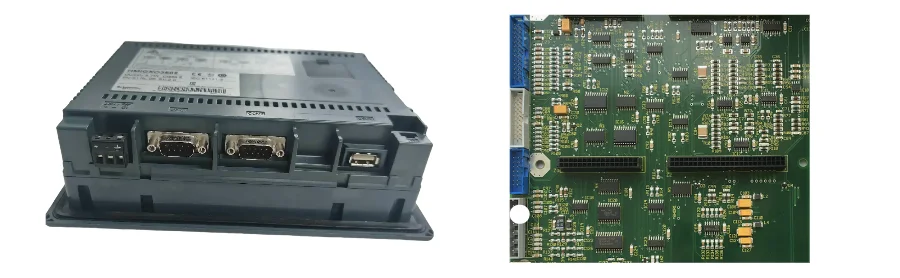
Automotive Dashboard and Infotainment HMI
Automotive applications present unique challenges for HMI PCB design, combining consumer electronics expectations with automotive reliability requirements across extreme temperature ranges and vibration conditions.
Climate Control Interfaces: HVAC control panels integrate multiple input methods including rotary encoders, push buttons, and touch controls. PCB designs must handle automotive electrical noise while providing precise temperature and airflow control. High-Tg PCB material selection must also account for expansion, reflow history, operating temperature and the complete mounting design; Tg alone does not guarantee dimensional stability.
Infotainment System Controls: Modern vehicles integrate smartphone-like touch interfaces for entertainment and navigation functions. Large touchscreen HMI PCBs require high-speed processors and graphics accelerators while maintaining automotive EMC compliance. Signal integrity becomes critical for high-resolution display interfaces and wireless communication modules.
Driver Information Displays: Instrument cluster HMIs provide critical driving information through configurable displays and warning indicators. Use the vehicle’s actual interfaces, which may include CAN or LIN, and assign display faults, stale-data detection, warnings and fallback behavior through the vehicle safety process. A communications interface alone does not establish a fail-safe display.
Steering Wheel Controls: Space constraints in steering wheel assemblies require miniaturized HMI PCBs with integrated touch sensors and haptic feedback systems. Flexible or rigid-flex sections can fit selected local geometry. Electrical continuity through steering rotation depends on the qualified clockspring or other rotary interconnect, routing and mechanical travel limits; an ordinary flex PCB does not automatically provide that function.
Environmental Resilience: Verify automotive display and controller temperature, vibration, electrical transients and EMC against the actual vehicle location and OEM specification; -40°C to +85°C is not a universal requirement for every HMI.
Home Appliance Control Panel Solutions
Consumer appliances increasingly incorporate sophisticated HMI interfaces that blend aesthetic appeal with functional control requirements, demanding PCB designs that support cost-effective manufacturing while ensuring reliable operation.
Kitchen Appliance Interfaces: Ovens, dishwashers, and refrigerators use HMI PCBs that integrate membrane keypads with digital displays for cooking programs and status indication. Steam, heat, and chemical exposure from cleaning products require robust PCB protection and material selection.
Washing Machine Controls: Laundry appliances require HMI PCBs that handle moisture exposure while providing intuitive cycle selection and progress indication. Membrane constructions with LED backlighting can provide status indication; enclosure, overlay, connector and mounting seals determine ingress protection.
Smart Home Integration: Modern appliances incorporate WiFi and Bluetooth connectivity for smartphone app control and home automation integration. HMI PCBs must balance local control functionality with wireless communication capabilities while maintaining cost targets for consumer markets.
Energy Efficiency Displays: Energy-conscious consumers demand detailed consumption information from appliances. HMI PCBs integrate power monitoring circuits with graphical displays that show energy usage patterns and efficiency recommendations in user-friendly formats.
Building Automation and HVAC Control
Commercial building systems rely on HMI interfaces for facility management and energy optimization, requiring PCB designs that support networking capabilities while providing reliable local control functionality.
Thermostat and Climate Control: Modern building thermostats integrate touchscreen interfaces with occupancy sensors and wireless connectivity. Battery-powered designs need a radio/display energy budget, while wired designs need the appropriate supply and power-loss behavior. Scheduling and zone-control responsibilities depend on the thermostat and building-controller architecture.
Lighting Control Panels: Commercial lighting systems use HMI PCBs that manage complex lighting scenes and energy optimization schedules. Touch interfaces provide intuitive control while supporting integration with building automation systems through standard communication protocols.
Access Control Integration: Security and access control systems incorporate HMI PCBs with card readers, biometric sensors, and communication interfaces. Rigid-flex PCB designs accommodate space constraints while providing reliable connections between different functional sections.
Energy Management Systems: Building energy management relies on HMI interfaces that visualize consumption patterns and enable optimization decisions. Large touchscreen displays require high-resolution graphics capabilities while supporting real-time data acquisition from multiple building systems.
For SMT assembly, specify package handling, workmanship, inspection and functional-test coverage. The 3D viewer can help inspect model geometry before production; a model view does not validate gasket compression, touch performance or assembled enclosure sealing.
Frequently Asked Questions
What's the difference between resistive and capacitive touch HMI PCBs?
Resistive touch responds to pressure and can support a suitable glove or stylus. Projected-capacitive designs can support multi-touch and, with an appropriate controller and sensor stack, glove operation. Compare force, glove thickness, wet operation, optical stack, wear and false-touch behavior on the actual panel rather than assuming one technology is always more accurate or durable.
How do you assess HMI reliability in a harsh industrial environment?
Define temperature, humidity, vibration, ESD/EMC, chemical exposure and ingress requirements for the installation. Select compatible components, coating and enclosure interfaces, then test the assembled panel against a stated profile and acceptance criteria. A test pass covers that method and specimen; it is not an unconditional service-life guarantee.
Can HMI PCBs integrate wireless connectivity without interference issues?
They can integrate radios, but interference-free operation cannot be assumed. Review antenna keepouts, display/touch clock harmonics, supply noise, shielding and return paths, then test radio and touch behavior in the final enclosure during representative display and machine activity.
What display technologies work best for HMI applications?
Compare LCD, OLED and e-paper using ambient light, required contrast, viewing angle, update rate, temperature, image-aging behavior and power. E-paper can use little energy while holding a static image, but update rate, illumination and temperature behavior must suit the interface. A technology label alone does not select the best panel.
How important is haptic feedback in HMI PCB design?
Haptics can confirm an input when its timing and feel are perceptible in the actual mounting and environment. Evaluate accessibility, actuator power/noise and feedback meaning with users. Combine it with appropriate visual or audible indications; a vibration pulse is not evidence that the machine executed the command safely.